onemanosx
-
Posts
1,550 -
Joined
-
Last visited
Everything posted by onemanosx
-
[ref]dodoland[/ref], no idea with Vega, I only use RX580 Sorry.
-
[ref]dodoland[/ref], see post 1 for HEVC support table.
-
Need help! DSDT Patch on Positivo I34500AI
onemanosx replied to OzemirElion's topic in DSDT & Patch Requests
[ref]OzemirElion[/ref], Place in Clover/ACPI/Patched. Reboot and upload new Send_me files. DSDT.aml.zip -
[ref]bbeyes[/ref],

-
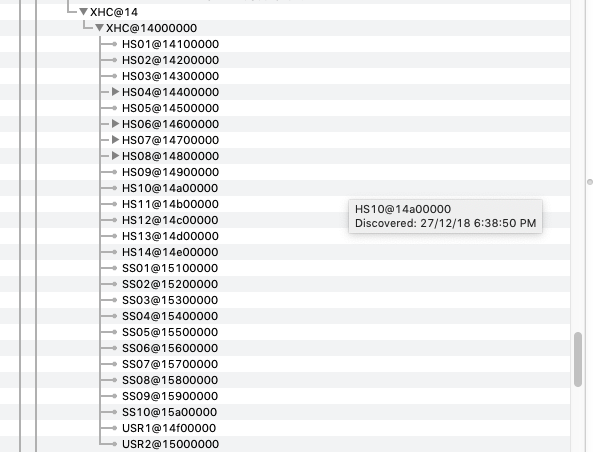
My comment: Analogue audio is working as per seen here in ioreg. There are 5 SSxx ports indicating USB 3.0 ports are available. Consider testing with a different USB 3.0 device You should also consider removing unused kexts in your clover folder. Find out what they are and decide if you need them. Hint: You dont need that many USB injector kexts.
-
Help with patches for Asus ROG Srtix GL503vm-ed251t
onemanosx replied to broadw3ll's topic in DSDT & Patch Requests
[ref]broadw3ll[/ref], check battery status - Batteryfix -DSDT.aml.zip -
for backlight hotkeys - https://www.insanelymac.com/forum/topic/305030-guide-how-to-fix-brightness-hotkeys-in-dsdt/ for battery status - https://bitbucket.org/RehabMan/os-x-acpi-battery-driver Right now, I am messing around with battery status, open a new thread for your laptop and let others assist you while you troubleshoot on your part as well.
-
Hackintosh Guide with Clover Bootloader on Serie 5, 6, 7, 8, 9
onemanosx replied to MaLd0n's topic in Installation Guides
[ref]jhonwick[/ref], my suspicion is you installed under legacy. See if your steps are similar to this "> and that you set your bios to the target boot drive For sound, did you have AppleALC + Lilu kext? -
Hackintosh Guide with Clover Bootloader on Serie 5, 6, 7, 8, 9
onemanosx replied to MaLd0n's topic in Installation Guides
[ref]jhonwick[/ref], check if your bios set to UEFI and not legacy? -
Guide - Enabling IntelHD 2500 Graphics in High Sierra/Mojave
onemanosx replied to onemanosx's topic in Guides and Tutorials
[ref]JeffB1960[/ref], look here https://Olarila.com/forum/viewtopic.php?f=28&t=7880 -
https://github.com/acidanthera/AppleALC/tree/master/Resources/ALC290 Layout 3,4 or 28 as per information in link above
-
Hackintosh Guide with Clover Bootloader on Serie 5, 6, 7, 8, 9
onemanosx replied to MaLd0n's topic in Installation Guides
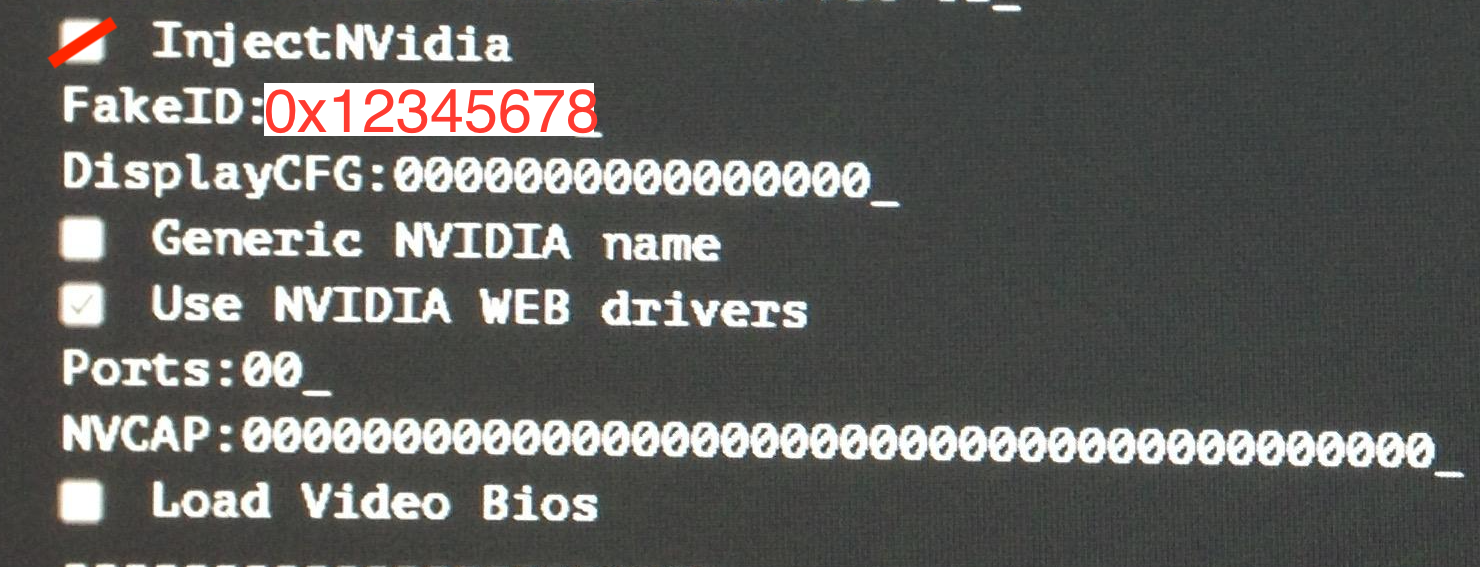
[ref]jhonwick[/ref], Inject Nvidia with fake-id like in picture below. In clover boot, go to options menu
-
Help with patches for Asus ROG Srtix GL503vm-ed251t
onemanosx replied to broadw3ll's topic in DSDT & Patch Requests
[ref]broadw3ll[/ref], Check if you have brightness slider in System Preferences>Display. You have 2 backlight injector kexts, use only one or test without. Experiment. For your trackpad, go to dev site and post your issues. Include troubleshooting files as described HERE or You can try ApplePS2SmartTouchpad.kext For USB you can do SSDT or follow HERE for quick solution. For battery, follow this guide https://github.com/RehabMan/OS-X-ACPI-Battery-Driver. Solving this will make trackpad settings appear. DSDT.aml.zip -
[ref]CRAZYNOU[/ref], Read my comment again for your wifi. For sound, download AppleALC kext for your ALC892 sound device.
-
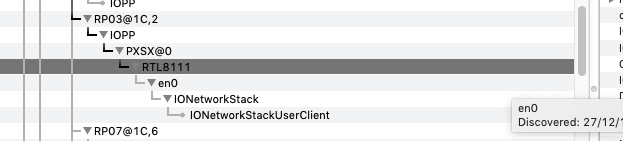
[ref]CRAZYNOU[/ref], Your ethernet port is loaded as per ioreg details. If you meant wifi, you will need a supported Wifi card or if you are using USB dongle, search for supported driver in manufacturer site. Similar to bluetooth, only supported module will work.
-
post full dump. Run the app below and upload files. http://Olarila.com/files/Utils/RunMe.app.zip
-
What are you expecting to work? Did you place the dsdt in clover/acpi/patched folder?
-
Help with patches for Asus ROG Srtix GL503vm-ed251t
onemanosx replied to broadw3ll's topic in DSDT & Patch Requests
Your USB 3.0 is now working with correct patch. From here, I still advise you to do your custom USB ports Try this, DSDT.aml.zip config.plist.zip And upload new ioreg
-
Help with patches for Asus ROG Srtix GL503vm-ed251t
onemanosx replied to broadw3ll's topic in DSDT & Patch Requests
settings will appear once you do you battery status. Upload ioreg with the new DSDT and config.plist, i need to see details -
Help with patches for Asus ROG Srtix GL503vm-ed251t
onemanosx replied to broadw3ll's topic in DSDT & Patch Requests
Lets settle one item at a time. Check track pad - if same issue, change to voodooI2CHID Send new ioreg config.plist.zip DSDT.aml.zip -
[ref]broadw3ll[/ref], Brightness Slider - Kext is injecting properly as seen in IOreg. In fact, you had injected both methods of injecting PNLF as seen here. However, I am unfamiliar with Nvidia graphics. USB - You'll need to implement USB port limit to get your USB 3.0 ports working. Right now, you are limited to USB 2.0 speed only. I2C trackpad - Trackpad is not fully functional. I see you tried voodooI2CElan. Have you tried voodooI2CHID?
-
[ref]broadw3ll[/ref], implement your battery status and see where that will lead you to. The same info is also given to me by one of the regular community at voodooI2C gitter.
-
audio problem is not under dsdt patch request tho.. https://Olarila.com/forum/download/file.php?id=15560
-
awesome!!
-
[ref]ruglau[/ref], thats weird.