bonejoev
-
Posts
146 -
Joined
-
Last visited
Everything posted by bonejoev
-
getting Realtek ALC269VB to be recognized on Toshiba S855
bonejoev replied to bonejoev's topic in Sierra (10.12)
i'm replying my own post heheh, i managed to get sound working using the appleHDApatcher.app located here http://www.insanelymac.com/forum/files/file/496-applehda-patcher/ version 1.6 at the time of this post. remember when patching make sure you select realtek alc269VB ver 1, this method works like a charm. just follow the instructions for your specific chipset. now my other concern is sleep, i'm open to any suggestions if anybody can give me a hand with this. this is preventing me from having a perfect OS X experience -
hello everyone, I have an issue that i hope someone can help me. I manage to get my Toshiba satellite s855-s5381 to working under Sierra almost perfect. with the help of a few people in this forum. but i'm trying to get sleep and audio to work for it to be perfect. i have PM working perfectly well i guess not perfectly because sleep is not working, and also audio. i follow this guide https://github.com/insanelydeepak/cloverHDA-for-Mac-OS-Sierra-10.12 but that's a no go. can someone help me please.
-
thank you very much. i tried the new DSDT but ever since i created an SSDT with the ssdtPRGEN.sh script it has not been sleeping. maybe my config.plist needs to me modified a bit further. I tried both the fixed DSDT and SSDT plus i have an nvidia SSDT-1 also in the ACPI>PATCHED folder. there's a link with my full clover folder if you can take a look at it and make the necessary corrections. just to let you know, my system was working very good including sleep but it wasn't using SSDT for PM and DSDT, i only had the SSDT for nVidia Graphics. so what i did was rename the nvidia SSDT to SSDT-1, and place the SSDT for PM, and now the DSDT and now sleep is not working. maybe correcting the config.plist file would yield some results. this is a great community I must say. https://mega.nz/#!t48xyLQJ!mS9l5djz1BhyY7GQJUbEz8SJXZTfCn2cQXdsr5lYMnE
-
hello everyone I need help fixing two errors for this DSDT, so that i can make this hackintosh more reliable. I've been using this board for the longest although i have been using this hackintosh without a DSDT i feel like i've been missing out. errors: 6126 syntax error, unexpected '}' 6126 syntax error, unexpected $end and premature End-Of-File how do you fix these issues? thank you in advance. DSDT.aml.zip

-
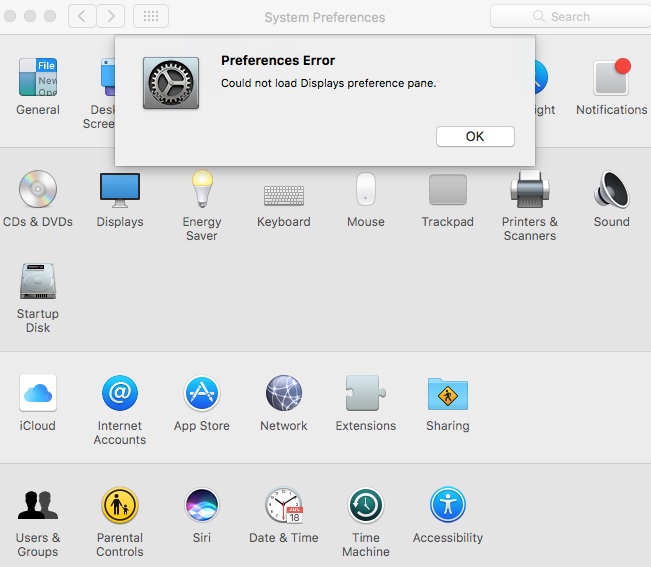
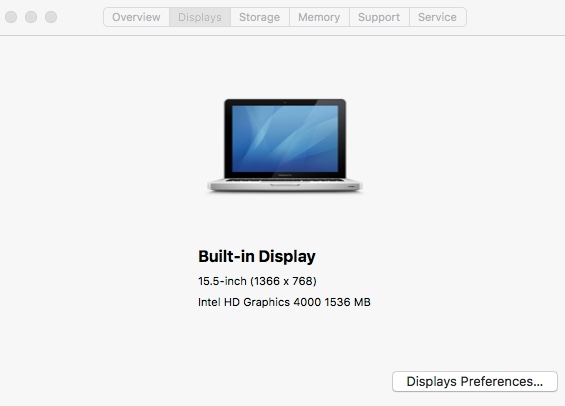
thanks, after hours of searching, I manage to get the display preference pane to show by following this guide https://www.tonycrapx86.com/threads/display-preferences-pane-not-loading-in-sierra-solved.202365/ I'm going to check weather or not with this fix I can get sleep to work and I'll report back, and the last thing that I would need to fix would be sound, it's been a long long and I'm super tired, I'll continue this tomorrow or another day. hey again thanks a lot for the help.
-
It didn't work. I'm going to try this on my own at a later time, just one questions, and by the way thanks for the help. going back to the original questions that I posted, how did you remove those 3 errors, so that I can start from scratch on my own pace.
-
doesn't work, the funny thing is that when i didn't have any DSDT loaded it went to sleep for like half a second, and now it doesn't even do that.
-
what's not working currently is... sleep sound display preference pane won't load brightness slider (i would find in the display preference pane) iTunes & apple site videos won't play ( wonder if shiki would fix that ) I will try that DSDT, i hope this fixes my issues
-
do you know why in the apple site videos don't play, they never load and the videos doesn't play. i would go to youtube and i wouldn't have a problem. and also the iTunes app the trailers don't play, i know some trailer are HDCP protected and those won't play but there's one or two that plays but for some reason from the laptop they don't play. i have a iMac 14,2 haswell hacktinsoh that's plays the apple site videos and some iTunes trailers without a problem.
-
nothing seems to change, I tried the script generated DSDT & SSDT1-4 along with my SSDT for native PM. I then used the DSDT w/o USB patch that you provided with the SSDTs and created an ioreg file for you to analyze. Kenny’s MacBook Air.zip
-
questions before trying the DSDT w/o usb patch, should I try the DSDT & SSDT generated by the script first?
-
sleep still doesn't work, same as described before but I hear the fans spinning up more loudly had to do a hard reset. those 2 links you provided looks very interesting specially the autonomous patching still can't wrap my head around that here is the new ioreg you requested. display preference pane is still not loading up and the brightness adjust not working. Kenny’s MacBook Air.zip
-
this is the kextstat output, and also the ioreg of my system don't know why it still says MacBook Air, when is MacBook Pro kextstatoutput_01152017448PM.txt.zip Kenny’s MacBook Air.zip
-
you are right, and I have an account from MEGA, ok this is the link https://mega.nz/#!Z4NzASyY!sZCn1y5SiGMWNJb08BTOLcJGMwEkUJF5LmHZoR5qxwA
-
nothing has changed as far as behavior, no sleep, no audio, although in system profiler in audio it gives me some values that would give you the impression that audio is available and functioning. but not the case because I connected an external display and the system shutdown unexpectedly and when rebooted it recognize the external display but not audio from the HDMI was available. I took a picture of the kext folder in my clover. I'm under the impression that I might have too many kexts in there.
-
its over 30 MB in sized and I can't upload
-
couldn't help but notice the SMBIOS is set to MacBook pro 8,3 (sandy bridge) my system spec are of an ivy-bridge type SMBIOS, it is ok of i change to MacBook air 5,2 or macbook pro 9,2?, i will test and let you know but please advise on whether or not i can use these SMBIOS, thanks
-
i also notice after i placed the corrected DSDT the laptop screen goest black the CPU fan spins up and it doesn't sleep forcing me to do a hard reset in comparison to before it did go to sleep for at least half a second and woke back up. what i'm going to do is give you the config.plist that i'm using so that you can take a closer look and make the necessary corrections. thank you in advance config.plist.zip
-
I generated an SSDT using ssdtPRGen.sh and I placed it in the patched folder in Clover and with the addition of the corrected DSDT I can see a few inprovements already. I no long get the intelbacklightpanel to found (PNLF patch missing) error at boot but I can't set the brightness slider and whenever I get into display preferences I get a "can't load the display preference pane" error, one thing I notice now is that when I unplug the ac adapter the display dims . and also sleep, the laptop makes the attempt to sleep but wakes right up but the screen stay dark until I hit a keyboard key. thank you very much MALd0n for a the help so far.
-
thanks for the reply, but I can't seem to open the DSDT with maciASL 1.4 , nothing loads and also intelbacklight not fund (PNLF patch missing?) .....aborting that's what it says at boot
-
Good Evening, I need a DSDT fix, the following errors are: 6126 syntax error, unexpected '}' 6126 syntax error, unexpected PARSEOP_EXP_EQUALS 6126 syntax error, unexpected PARSEOP_EXP_EQUALS 6126 syntax error, unexpected PARSEOP_IF can somebody please help fix these errors and get my Toshiba s855-s5381 Satellite ivy-bridge laptop functioning under macOS sierra 10.12.2 so far i'm able to boot but of course the majority of the goodies don't work yet; brightness, battery indicator, sleep, network etc. can somebody shed some light I'll be much appreciative DSDT.aml.zip