oldnapalm
-
Posts
1,193 -
Joined
-
Last visited
Everything posted by oldnapalm
-

Asus G73SW Mavericks Install with Clover - Ironing out kinks
oldnapalm replied to bob2001's topic in Mavericks (10.9)
Looks like config.plist is being loaded 16:272 0:000 Injected EFIString of length 2145 16:272 0:000 KextToPatch 0: AppleHDA Kext bin patch, data len: 4 16:272 0:000 KextToPatch 1: AppleHDA Kext bin patch, data len: 4 16:272 0:000 KextToPatch 2: AppleHDA Kext bin patch, data len: 4 I never used Clover Configurator. Try copying my config.plist, edit the theme setting using a text editor and do not use Clover Configurator, maybe it's doing something it shouldn't. I see no difference other than that and the fact that I'm still on Clover v2703 (should not be a problem). Search your system log for AppleHDA, you should see messages like this, it's normal kernel[0]: Sound assertion in AppleHDAEngine at line 578 Also check if AppleHDA is being loaded kextstat | grep AppleHDA -
Asus G73SW Mavericks Install with Clover - Ironing out kinks
oldnapalm replied to bob2001's topic in Mavericks (10.9)
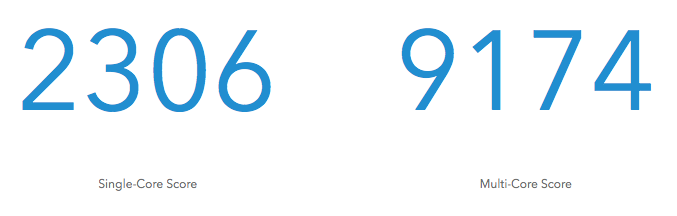
Yes, my DSDT has the needed patch for audio. Did you turn the laptop off and on again? AppleHDAALC269 should not make difference when using the patched kext, but try removing it. I don't think it has relation with the wireless card, but you should remove the AR9285 patch from DSDT DSDT.aml.zip My Mavericks results
-
Asus G73SW Mavericks Install with Clover - Ironing out kinks
oldnapalm replied to bob2001's topic in Mavericks (10.9)
Try with this kext http://Olarila.com/files/10.9/Audio/AppleHDA_10.9.4/Laptop/AppleHDA-2.6.3f4-ALC269-AsusG73S.zip BTW I got audio working on 10.10 beta with AppleHDAALC269 (thanks Pike) AppleHDAALC269.kext-Yosemite.zip My test results on 10.10
-
Asus G73SW Mavericks Install with Clover - Ironing out kinks
oldnapalm replied to bob2001's topic in Mavericks (10.9)
Symlink is AppleHDAALC269.kext/Contents/MacOS/AppleHDA and points to /System/Library/Extensions/AppleHDA.kext/Contents/MacOS/AppleHDA. If you extracted on NTFS it was probably lost. -
Asus G73SW Mavericks Install with Clover - Ironing out kinks
oldnapalm replied to bob2001's topic in Mavericks (10.9)
Are you on Mavericks or Yosemite? I forgot to mention, AppleHDAALC269 contains a symbolic link, so you must unzip the package in OS X. It has no binary or plugins, you need an untouched AppleHDA installed. If you are on 10.10 beta don't forget to add kext-dev-mode=1 in boot arguments or the patched AppleHDA will not work. Also remove AppleHDAALC269 just to be sure it doesn't interfere. Backlight should turn on if you press Ctrl, Alt, + (must be the + in numeric keyboard, the one next to backspace won't do it). Do battery meter and wifi work? If so the patched DSDT must be in use. -
Asus G73SW Mavericks Install with Clover - Ironing out kinks
oldnapalm replied to bob2001's topic in Mavericks (10.9)
I'm using Clover UEFI. For sound in Mavericks you need AppleHDAALC269 (from my package) + original AppleHDA + binpatch in config.plist (KextsToPatch). In Yosemite you need patched AppleHDA (from "10.10 kexts" package). You do not need AppleHDAALC269 (doesn't work) or binpatch in config.plist (kext binary is already patched). In both cases you need the patched DSDT (I could have used Clover for this, but since many DSDT patches are needed I decided to put audio patch in there too). For keyboard backlight use Ctrl + Alt + (numpad +/-). It doesn't work with Fn + (F3/F4). Needs PS2 kext from my package. Another detail about audio, if you were using VoodooHDA (or Linux) make sure you turn off the laptop instead of just restarting, or it may not work. -
Asus G73SW Mavericks Install with Clover - Ironing out kinks
oldnapalm replied to bob2001's topic in Mavericks (10.9)
Audio, battery meter, keyboard backlight (and wireless as well), all depend on DSDT patches. I included my patched DSDT in the package, compare it with your original and you will easily see what needs to be patched. If there are no differences in memory addresses you may even use my file. The performance issue is strange, I don't know if it's DSDT related, but I have an SSD too and Mavericks takes 10 seconds from Clover menu to desktop. I didn't have the SSD by the time I uploaded the package, so add this under KextsToPatch in config.plist to enable TRIM support <dict> <key>Name</key> <string>IOAHCIBlockStorage</string> <key>Find</key> <data>QVBQTEUgU1NEAA==</data> <key>Replace</key> <data>AAAAAAAAAAAAAA==</data> </dict> -
Asus G73SW Mavericks Install with Clover - Ironing out kinks
oldnapalm replied to bob2001's topic in Mavericks (10.9)
Sleep works, not sure about on low battery. I don't know if the sub woofer works, how do you test it? Edit: tried some subwoofer tests on youtube, it doesn't work. -
Asus G73SW Mavericks Install with Clover - Ironing out kinks
oldnapalm replied to bob2001's topic in Mavericks (10.9)
They are the same as 10.9.2 attached in this post http://Olarila.com/forum/viewtopic.php?f=31&t=3950#p40059 There are no patched kexts, they are all 3rd party kexts and will work on 10.9.4 and 10.10 beta (except AppleHDAALC269 and GenericUSBXHCI which should be updated in 10.10). I forgot to mention, but I ran the commands in single user mode to rebuild kernelcache in the first boot after installation (to ensure AppleGraphicsDevicePolicy patch is included, but I don't know if it's needed). Also, add kext-dev-mode=1 into Boot/Arguments in config.plist <key>Boot</key> <dict> <key>Arguments</key> <string>kext-dev-mode=1</string> </dict> -
Asus G73SW Mavericks Install with Clover - Ironing out kinks
oldnapalm replied to bob2001's topic in Mavericks (10.9)
Yes, it's working very well. Build the installer using this method http://Olarila.com/forum/viewtopic.php?f=36&t=4632 Add the Board-ID into ConfigMap in the file /System/Library/Extensions/AppleGraphicsControl.kext/Contents/PlugIns/AppleGraphicsDevicePolicy.kext/Contents/Info.plist <key>Mac-942459F5819B171B</key> <string>none</string> Boot the installer in single user mode and run fsck -fy mount -uw / rm /System/Library/Caches/com.apple.kext.caches/Startup/kernelcache kextcache -prelinked-kernel exit If kextcache ends in segmentation fault, run it again until kernelcache is built. Use the same kexts as 10.9.4, except AppleHDA and GenericUSBXHCI 10.10 kexts.zip
-
Atualizado.
-
É apenas uma cópia do fórum no meu servidor local que uso para fazer testes.
-
É bom colocar o kext-dev-mode=1 nos boot-args do Clover, porque depois de instalado, se modificar algo em /S/L/E o sistema atualiza o kernelcache e deixa de fora as kexts não assinadas se não usar esse argumento. <key>Boot</key> <dict> <key>Arguments</key> <string>-v kext-dev-mode=1</string> </dict> Depois do sistema instalado podemos usar kextcache -prelinked-kernel para reconstruir o kernelcache, no lugar de kextcache -m /System/Library/Caches/com.apple.kext.caches/Startup/Extensions.mkext /System/Library/Extensions
-
Asus G73SW Mavericks Install with Clover - Ironing out kinks
oldnapalm replied to bob2001's topic in Mavericks (10.9)
Solution for the black screen problem after 10.9.3 update: add the Board-ID into ConfigMap in the file /System/Library/Extensions/AppleGraphicsControl.kext/Contents/PlugIns/AppleGraphicsDevicePolicy.kext/Contents/Info.plist <key>Mac-942459F5819B171B</key> <string>none</string> http://www.insanelymac.com/forum/topic/293593-g73sw-109-install/?p=2021291 -
Solução melhor: adicionar o Board-ID em ConfigMap no arquivo /System/Library/Extensions/AppleGraphicsControl.kext/Contents/PlugIns/AppleGraphicsDevicePolicy.kext/Contents/Info.plist <key>Mac-942459F5819B171B</key> <string>none</string> http://www.insanelymac.com/forum/topic/293593-g73sw-109-install/?p=2021291
-
No meu Asus G73S deu tela preta após o update (GeForce GTX 460M). Estranho que se fechar a tampa para sleep, depois do wake o vídeo volta normal. Já tinha visto o contrário, iniciar normal e voltar do sleep sem vídeo. Para voltar ao normal fiz downgrade das kexts AppleGraphicsControl, IOGraphicsFamily, NVDA* e System para 10.9.2.
-
Asus G73SW Mavericks Install with Clover - Ironing out kinks
oldnapalm replied to bob2001's topic in Mavericks (10.9)
Updated package with EAPDFix.kext and AppleHDAALC269.kext (requires original AppleHDA.kext and binpatch in Clover config.plist) Asus G73Sw OS X Mavericks 10.9.2.zip -
AppleGraphicsPowerManagement (AGPM) nas nVidia Fermi
oldnapalm replied to Cassio's topic in Guias & Tutoriais Hackintosh
Posts off-topic movidos http://Olarila.com/forum/viewtopic.php?f=6&t=4522 -
Asus G73SW Mavericks Install with Clover - Ironing out kinks
oldnapalm replied to bob2001's topic in Mavericks (10.9)
Hi, I installed Mavericks 10.9.2 following that topic but using Clover UEFI instead of Chameleon. I'm attaching the files I used. Asus G73Sw OS X Mavericks 10.9.2.zip Cheers. -
Acho que todas as tentativas com essa distro já foram esgotadas, a única sugestão que posso dar é usar uma versão mais atual e fazer instalação retail. http://Olarila.com/forum/viewtopic.php?f=3&t=2
-
No início se chamava OSx86 Project, depois trocaram o nome para InsanelyMac. Como o Tiger (primeira versão do Mac OS para processadores Intel) era vendido apenas junto com os Macs (não existia DVD "retail"), não havia recursos para fazer uma instalação limpa sem você ter um Mac, então o que realmente popularizou o hackintosh foram as distros.
-
Olá, o fórum foi criado pelo MaLd0n e por mim em 2010. Eu participo do InsanelyMac desde a sua criação em 2005 (osx86project.org) e o MaLd0n participava de uma comunidade no orkut, também sobre hackintosh. Eu convidei ele para ajudar no fórum em português do IM e um tempo depois ele sugeriu que criássemos um novo fórum somente em português. Logo começaram tópicos em inglês misturados aos em português, então criamos a seção em inglês e o fórum acabou se tornando internacional. Hoje menos de 20% dos visitantes são brasileiros. O nome Olarila não tem nenhuma explicação lógica, é apenas um domínio que eu já tinha registrado e decidimos usar.
-
Values are separated by comma. 5 commas, 6 values.
-
Just replace 3 by 4 in layout-id, don't need to edit other keys. And why did you set package length to 0x0c (12) if you actually decreased it from 8 to 6?
-
This one works for me on Mavericks (layout-id=4 in DSDT) http://Olarila.com/files/10.8/Audio/AppleHDA/ADI1988B/AppleHDA_for_ADI1988B.zip