oldnapalm
-
Posts
1,193 -
Joined
-
Last visited
Everything posted by oldnapalm
-
Just copy won't do it, you need to repair permissions (chown 0:0 and chmod 755) and update kernelcache, or use some tool to install (make sure it's updated to work with Yosemite). You need kext-dev-mode=1 in boot arguments before rebuilding kernelcache or unsigned kexts won't be included.
-
Yes. Kexts and files are for post installation, you don't need to put them in the installer USB. For audio you also need the patches in KextsToPatch section of config.plist as in my sample file.
-
You need both kexts, original AppleHDA and AppleHDAALC269. Expand the zip in OS X because AppleHDAALC269 contains a symbolic link.
-
Don't forget the original AppleHDA.kext in /S/L/E and extract the attached file in OS X, because AppleHDAALC269.kext has a symbolic link which will be broken if you unzip in Windows. You are probably missing FakeSMC.
-
I have no idea what those beasts do. Attached files are for use in clean install with Clover.
-
That means, enter Clover options menu and change that value before booting the installer. This other part you will do after installing
-
Hi, I'm using this "dummy" kext, it works from 10.10 to 10.10.2 AppleHDAADI1988B.kext.zip If you want patched kext you can use this app http://Olarila.com/forum/viewtopic.php?f=9&t=4487
-
If you used my files, the Board-ID in config.plist is Mac-942459F5819B171B, you need to add it in AppleGraphicsDevicePolicy. Mac-FC02E91DDD3FA6A4 is iMac Board-ID, you may use it to avoid black screen in first boot but I don't recommend keep using it after post install.
-
This installer works for me http://Olarila.com/forum/viewtopic.php?f=36&t=5009 Just change the Board-ID as I mentioned in OP.
-
There are no special parameters for Clover install, just the files included in the package. It works on both UEFI and legacy mode.
-
If you use a patched BIOS, maybe your DSDT is different than mine and you can't use my patched one. Compare your original DSDT with mine (attached), if they are different you need to apply the patches on yours instead of using mine. Also disable AsusAICPUPM. DSDT.aml-original.zip
-
Aqui tem tudo sobre a configuração, é bom ler com atenção se pretende usar o Clover http://clover-wiki.zetam.org/Configuration
-
Claro, o Board-ID (ou SMboardproduct no Chameleon) que você usa no SMBIOS. Na kext que você anexou não está adicionado. Não esquece de atualizar o kernelcache.
-
Não importa se é update ou instalação limpa. Desde o 10.9.3 eu preciso fazer essa modificação.
-
Se você foi direto do 10.9.2 para o 10.10 pode ser isto http://Olarila.com/forum/viewtopic.php?f=31&t=3950#p41056
-
Added kexts: /System/Library/Extensions/ACPIBatteryManager.kext /System/Library/Extensions/AppleHDAALC269.kext /System/Library/Extensions/AsusNBFnKeys.kext /System/Library/Extensions/EAPDFix.kext /System/Library/Extensions/FakeSMC.kext /System/Library/Extensions/GenericUSBXHCI.kext /System/Library/Extensions/LegacyAGPM.kext /System/Library/Extensions/RealtekR1000SL.kext /System/Library/Extensions/VoodooPS2Controller.kext Added plist: /System/Library/Extensions/IOPlatformPluginFamily.kext/Contents/PlugIns/ACPI_SMC_PlatformPlugin.kext/Contents/Resources/MacBookPro8_4.plist Clover files: /Volumes/EFI/EFI/CLOVER/ACPI/PATCHED/DSDT.aml /Volumes/EFI/EFI/CLOVER/config.plist (ROM and CustomUUID zeroed out) /Volumes/EFI/EFI/CLOVER/TOOLS/Shell64U.efi (default one does not work) /Volumes/EFI/EFI/CLOVER/drivers64UEFI/HFSPlus-64.efi (replace VBoxHfs-64.efi) In /Volumes/EFI/EFI/CLOVER/drivers64UEFI you also need (for UEFI boot): FSInject-64.efi (default) OsxAptioFixDrv-64.efi (select in Clover installer) OsxFatBinaryDrv-64.efi (default) Asus G73Sw OS X Yosemite 10.10.zip To avoid black screen problem add the Board-ID into ConfigMap in the file /System/Library/Extensions/AppleGraphicsControl.kext/Contents/PlugIns/AppleGraphicsDevicePolicy.kext/Contents/Info.plist <key>Mac-942459F5819B171B</key> <string>none</string> For installation and first boot use a compatible Board-ID like Mac-FC02E91DDD3FA6A4
-

Asus G73SW Mavericks Install with Clover - Ironing out kinks
oldnapalm replied to bob2001's topic in Mavericks (10.9)
I'm not sure about the woofer too. I can hear the bass in those youtube woofer tests, I think I couldn't with the previous kext. Have to test again. Can you identify if it works now because of ResetHDA or the new kext? -
Asus G73SW Mavericks Install with Clover - Ironing out kinks
oldnapalm replied to bob2001's topic in Mavericks (10.9)
You may want to try this (10.9.4), I think I got the subwoofer working https://www.sendspace.com/file/drs4ht Thanks to AREOS @ InsanelyMac http://www.insanelymac.com/forum/topic/296261-applehdakext-and-laptop-subwoofer-aka-21-audio/ Another suggestion, try Clover > 2793 and enable ResetHDA http://www.projectosx.com/forum/index.php?s=&showtopic=2656&view=findpost&p=41169 -
Asus G73SW Mavericks Install with Clover - Ironing out kinks
oldnapalm replied to bob2001's topic in Mavericks (10.9)
To copy from UEFI shell, first locate the correct partitions fs0: ls fs1: ls ... In my case fs0 is the USB and fs2 is the EFI partition. Once boot is working fine from USB I delete the CLOVER folder from EFI partition, boot from USB, open the shell and run fs0: cd EFI cp -R CLOVER fs2:\EFI exit -
Asus G73SW Mavericks Install with Clover - Ironing out kinks
oldnapalm replied to bob2001's topic in Mavericks (10.9)
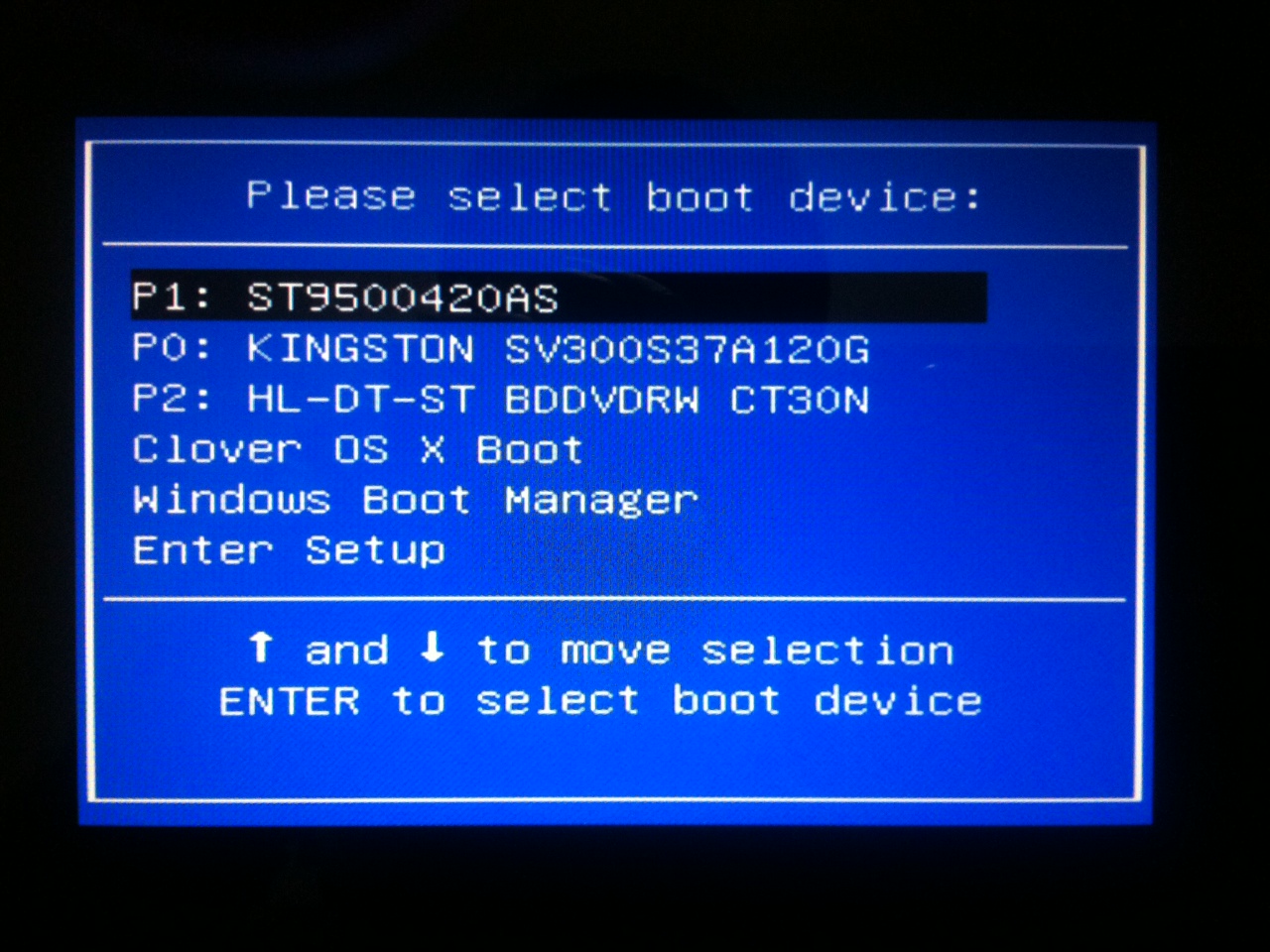
No, I don't have "UEFI:" prefixed on the HD with Clover Here's what I have done: - copied the EFI folder to the EFI partition of the HD - copied the EFI folder to a FAT32 USB stick - copied EFI/CLOVER/CLOVERX64.efi to EFI/BOOT/BOOTX64.efi (in the USB stick) - booted the USB stick (with "UEFI:" prefix) - went to "Clover Boot Options" (the SATA one, there's one for the USB too) - selected "Add as UEFI boot option" With this I got the "Clover OS X Boot" option you see in the picture above. Now I can replace the EFI folder in the HD and it still works. I usually do this when I update Clover. First I install the new version in USB, copy my files, test it, then I copy the EFI folder to the HD from UEFI shell, because if I copy from Finder (or OS X terminal) some theme images go missing (I think the ones with long filenames). Edit: did you change the zeroed values (see the README file in my package) in config.plist?
-
Asus G73SW Mavericks Install with Clover - Ironing out kinks
oldnapalm replied to bob2001's topic in Mavericks (10.9)
Did you test with my EFI folder? If you use EFI/BOOT you have to copy EFI/CLOVER/CLOVERX64.efi to EFI/BOOT/BOOTX64.efi -
Asus G73SW Mavericks Install with Clover - Ironing out kinks
oldnapalm replied to bob2001's topic in Mavericks (10.9)
I uploaded my Clover version in previous post. I don't have the installer anymore. Just copy the EFI folder to your EFI partition. To add the boot option I did as described in this topic http://Olarila.com/forum/viewtopic.php?f=28&t=3405 -
Asus G73SW Mavericks Install with Clover - Ironing out kinks
oldnapalm replied to bob2001's topic in Mavericks (10.9)
Try using my EFI folder https://www.sendspace.com/file/l91m33 If it still does not work, the problem should not be in the boot loader. Edit: I forgot one detail, I updated the EAPDFix kext. I think it's not the problem, but just in case... EAPDFix.kext.zip -
Asus G73SW Mavericks Install with Clover - Ironing out kinks
oldnapalm replied to bob2001's topic in Mavericks (10.9)
Codecs are exactly the same. Run this app and attach the resulting file, I'll take a look if there's something wrong http://Olarila.com/apps/RunMe.zip -
Asus G73SW Mavericks Install with Clover - Ironing out kinks
oldnapalm replied to bob2001's topic in Mavericks (10.9)
All looks fine. The need to press enter, maybe it's because you didn't install a theme (my config sets BGM). Maybe our codecs are different. Try making a dump from Linux using commands from this topic http://Olarila.com/forum/viewtopic.php?f=28&t=2676 Here's mine card0-codec#0.txt.zip