FCU4ever
-
Posts
104 -
Joined
-
Last visited
Everything posted by FCU4ever
-
[Asus G73sw] How to enable keyboard backlight
FCU4ever replied to FCU4ever's topic in Sierra (10.12)
[ref]MaLd0n[/ref], Tried the new DSDT with no luck. Still no keyboard backlight and can't activate the backlight with the FNKeys. -
[Asus G73sw] How to enable keyboard backlight
FCU4ever replied to FCU4ever's topic in Sierra (10.12)
[ref]MaLd0n[/ref], See attachment Send me mbp-van-koen.home.zip -
[Asus G73sw] How to enable keyboard backlight
FCU4ever replied to FCU4ever's topic in Sierra (10.12)
[ref]MaLd0n[/ref], Installed the kext with no result. What must I do with the KeyboardBacklight Patch 4? -
I installed succesfully macOS Sierra 10.12.6 on my Asus G73sw laptop. A lot of hardware have I got working but not the USB3.0 port. This device is the Fresco Logic xHCI (USB3) Hub. Can someone help me to get the USB3.0 port working?
-
I installed succesfully macOS Sierra 10.12.6 on my Asus G73sw laptop. A lot of hardware have I got working but not the backlight of my keyboard. Can someone help me to get the backlight working?
-
How to get SMBios MacBookPro8,2 on my Asus G73sw?
FCU4ever replied to FCU4ever's topic in Guides and Tutorials
[ref]MaLd0n[/ref], See the output of terminal with the SSDT.aml you send me and P- and C states unchecked. -
How to get SMBios MacBookPro8,2 on my Asus G73sw?
FCU4ever replied to FCU4ever's topic in Guides and Tutorials
[ref]MaLd0n[/ref], Many thanks for your help, I will uncheck it. -
How to get SMBios MacBookPro8,2 on my Asus G73sw?
FCU4ever replied to FCU4ever's topic in Guides and Tutorials
MalD0n, many thanks for the file! Can I use this file in combination with the generate P-states and C-states in my config.plist or do you recommend to uncheck this boxes with clover configurator in my config.plist? -
How to get SMBios MacBookPro8,2 on my Asus G73sw?
FCU4ever replied to FCU4ever's topic in Guides and Tutorials
Here is the file ssdt.dsl.zip -
How to get SMBios MacBookPro8,2 on my Asus G73sw?
FCU4ever replied to FCU4ever's topic in Guides and Tutorials
MaLd0n, thanks for your reply. I just generated the SSDT with Pike. First ignored the error and let the script run. After finish I went to the export map and see a lot of SSDT files. Wich one do I have to copy to my Clover folder? -
How to get SMBios MacBookPro8,2 on my Asus G73sw?
FCU4ever replied to FCU4ever's topic in Guides and Tutorials
In Clover I've set generate P-states and C-states. Does this the same as the SSDT generated by pike? Our is it better to use the SSDT generated with pike script? -
I succesfully installed MacOS Sierra 10.12.6 on my Asus G73sw laptop with the MacBookPro10,1 SMBios. My Hackintosh also work with the MacBookPro10,1 SMBios. The problem is that MacBookPro10,1 is for “Ivy Bridge” laptops and not for “Sandy Bridge” like mine. My Asus G73sw laptop has an Intel I7-2630QM processor and a Nvidia GTX460m videocard. The SMBios that comes close to my specifications is the MacBookPro8,2 SMBios. I changed the SMBios to MacBookPro8,2 with CloverConfigurator, copied the config.plist to my EFI folder and reboot -> black screen. Then I tried a few things to get the MacBookPro8,2 SMBios working: - Changed the SMBIOS to MacBookPro8,2 and add the below to KextToPatch com.apple.driver.AppleGraphicsDevicePolicy BA050000 00 BA000000 00 Prevent AGDP from loading Reboot -> Apple bar won’t load - Changed the SMBIOS to MacBookPro8,2 and changed productname to iMac13,2 Reboot -> Apple bar load but get a blackscreen - Changed the SMBIOS to MacBookPro8,2 and changed productname to iMac13,2 and add the below to KextToPatch com.apple.driver.AppleGraphicsDevicePolicy BA050000 00 BA000000 00 Prevent AGDP from loading Reboot -> laptop boots good So the laptop boots with the MacBookPro8,2 SMBios when I changed the productname and add a few lines to my kextToPatch. Changing the productname isn’t the right solution I think. Can someone help me to get the MacBookPro8,2 SMBios working or is it no problem to stay on MacBookPro10,1 SMBios? Even this SMBios is for Ivy Bridge laptops and not Sandy Bridge.
-
I succesfully installed MacOS Sierra 10.12.6 on my Asus G73sw laptop with the MacBookPro10,1 SMBios. My Hackintosh also work with the MacBookPro10,1 SMBios. The problem is that MacBookPro10,1 is for “Ivy Bridge” laptops and not for “Sandy Bridge” like mine. My Asus G73sw laptop has an Intel I7-2630QM processor and a Nvidia GTX460m videocard. The SMBios that comes close to my specifications is the MacBookPro8,2 SMBios. I changed the SMBios to MacBookPro8,2 with CloverConfigurator, copied the config.plist to my EFI folder and reboot -> black screen. Then I tried a few things to get the MacBookPro8,2 SMBios working: - Changed the SMBIOS to MacBookPro8,2 and add the below to KextToPatch com.apple.driver.AppleGraphicsDevicePolicy BA050000 00 BA000000 00 Prevent AGDP from loading Reboot -> Apple bar won’t load - Changed the SMBIOS to MacBookPro8,2 and changed productname to iMac13,2 Reboot -> Apple bar load but get a blackscreen - Changed the SMBIOS to MacBookPro8,2 and changed productname to iMac13,2 and add the below to KextToPatch com.apple.driver.AppleGraphicsDevicePolicy BA050000 00 BA000000 00 Prevent AGDP from loading Reboot -> laptop boots good So the laptop boots with the MacBookPro8,2 SMBios when I changed the productname and add a few lines to my kextToPatch. Changing the productname isn’t the right solution I think. Can someone help me to get the MacBookPro8,2 SMBios working or is it no problem to stay on MacBookPro10,1 SMBios? Even this SMBios is for Ivy Bridge laptops and not Sandy Bridge.
-
How to get SMBios MacBookPro8,2 working on my Asus G73sw?
FCU4ever replied to FCU4ever's topic in Sierra (10.12) BR
Hi, Thanks for your response. With the knowledge that SSdtPregen should only be used for Ivy Bridge CPU's and up and my CPU is Sandy Bridge I decided to stay on SMbios MBP10,1 and edit my config.plist with CloverConfigurator to generate my C- and P-states. If I'm right I don't need an SSDT anymore?
-
I succesfully installed MacOS Sierra 10.12.6 on my Asus G73sw laptop with the MacBookPro10,1 SMBios. My Hackintosh also work with the MacBookPro10,1 SMBios. The problem is that MacBookPro10,1 is for “Ivy Bridge” laptops and not for “Sandy Bridge” like mine. Because of the MacBookPro10,1 SMBios I’m unable to generate a SSDT.aml file with ssdtPRGen.sh from Piker-Alpha. My Asus G73sw laptop has an Intel I7-2630QM processor and a Nvidia GTX460m videocard. The SMBios that comes close to my specifications is the MacBookPro8,2 SMBios. I changed the SMBios to MacBookPro8,2 with CloverConfigurator, copied the config.plist to my EFI folder and reboot -> black screen. Then I tried a few things to get the MacBookPro8,2 SMBios working: - Changed the SMBIOS to MacBookPro8,2 and add the below to KextToPatch com.apple.driver.AppleGraphicsDevicePolicy BA050000 00 BA000000 00 Prevent AGDP from loading Reboot -> Apple bar won’t load - Changed the SMBIOS to MacBookPro8,2 and changed productname to iMac13,2 Reboot -> Apple bar load but get a blackscreen - Changed the SMBIOS to MacBookPro8,2 and changed productname to iMac13,2 and add the below to KextToPatch com.apple.driver.AppleGraphicsDevicePolicy BA050000 00 BA000000 00 Prevent AGDP from loading Reboot -> laptop boots good So the laptop boots with the MacBookPro8,2 SMBios when I changed the productname and add a few lines to my kextToPatch. Changing the productname isn’t the right solution I think because I’m again not able to generate a SSDT.aml. Can someone help me to get the MacBookPro8,2 SMBios working so that I can generate a correct SSDT.aml for my hackintosh
-
I’ve succesfull installed Mac OS Sierra 10.12.6 on my Asus G73sw with the specifications below: - Intel 2630QM-I7 / HM65 - Nvidia Geforce GTX460m So what is needed to install Sierra on a Asus G73sw? 1) Install Mac OS Sierra through a bootable USB with Clover on it 2) Copy FakeSMC.kext , USBInjectAll.kext and VoodooPS2Controller to USB\EFI\CLOVER\kexts\Other\ folder 3) Copy HFSPlus-64 , CsmVideoDxe-64 (needed full resolution in Clover) and OsxAptioFixDrv-64 to USB\EFI\CLOVER\drivers64UEFI\ folder 4) Install Mac OS Sierra * Files in attachement 'USB Files' After the installation you reach the desktop. FIRST install Clover with the following settings: - Installation for UEFI motherboards - Install Clover in the ESP - Drivers64UEFI -> OsxAptioFixDrv-64 - Drivers64UEFI -> CsmVideoDxe-64 - Install RC scripts on targetvolume - Install Clover preference panel Copy HFSPlus-64 to EFI/CLOVER/drivers64UEFI/ folder After that, install the following kexts with your favorite kext installer: - FakeSMC.kext -> Always needed - VoodooPS2Controller -> Needed to use your keyboard - USBInjectAll -> Needed to use USB2.0 ports - ACPIBatteryManager -> Shows batterystatus - AsusNBFnKeys -> Needed to use FN keys - AppleALC + Lilu -> Needed to get audio working - RealtekRTL8111 -> Needed to get LAN working (can’t test, LAN card defect) As last, copy the DSDT (many thanks to MaLd0n for creating the DSDT file) file to EFI/CLOVER/ACPI/PATCHED/ * Files in attachement 'After installation files' Reboot and see what is working: - Nvidia Geforce GTX460m -> Config.plist - Wifi -> DSDT - Audio -> DSDT + AppleALC + Lilu - USB2.0 -> USBInjectall - Batterypercentage -> DSDT - Asus FN keys -> AsusNBFnKeys And what is not working: - USB3.0 (Fresco Logic xHCI(USB3)) - Keyboard backlight - Brightness FN key - Cardreader - Bluetooth As last, I’m unable to generate a SSDT with ssdtPRGen.sh from Piker-Alpha. I’ve got the following error (see picture below): The MacBookPro10,1 SMBios has an board-ID that is not compatible with my Sandy Bridge laptop. So I tried a few things: - Change the SMBios to MacBookPro8,2 Reboot -> Black screen - Changed the SMBIOS to MacBookPro8,2 and add the below to KextToPatch com.apple.driver.AppleGraphicsDevicePolicy BA050000 00 BA000000 00 Prevent AGDP from loading Reboot -> Apple bar won’t load - Changed the SMBIOS to MacBookPro8,2 and changed productname to iMac13,2 Reboot -> Apple bar load but get a blackscreen - Changed the SMBIOS to MacBookPro8,2 and changed productname to iMac13,2 and add the below to KextToPatch com.apple.driver.AppleGraphicsDevicePolicy BA050000 00 BA000000 00 Prevent AGDP from loading Reboot -> laptop boots good With the MacBookPro8,2 SMBIOS and the changed productname I’m still unable to generate an SSDT (without errors). So, can someone help me to: - Generate a correct SSDT - Get USB3.0 working - Get Keyboard backlight working - Get Brightness FN key working - Get Cardreader working - Get Bluetooth working USB files.zip After installation files.zip
-
So I have to stay at MacBookPro10,1? Wich SSDT.aml can I use?
-
Changed the SMBIOS to MacBookPro8,2 and add your lines in KextToPatch Reboot -> Apple bar won't load Second try, changed the SMBIOS to MacBookPro8,2 and changed productname to iMac13,2 Reboot -> Appla bar load but get a blackscreen Third try, changed the SMBIOS to MacBookPro8,2 and changed productname to iMac13,2 and add your lines in KextToPatch Reboot -> laptop boots good Is it a problem to change the productname? Or can I better use MacBookPro10,1 SMBIOS?
-
USB3.0 don't work after installing the Genericxhci kext from Rehabman...... other things I can try? Can I use the SSDT I generated with the error code (Wrong board-ID) or do I need to fix the black screen with the SMBIOS8,2 and re-generate the SSDT? Wich generated SSDT.aml can I use? Is that the one in the root of the SSDTPRGen folder or in the ACPI folder (inside the SSDTPRGen) Possible to get the backlight working in combination with the correct FN keys?
-
Nope, black screen after boot Added in 1 minute 32 seconds: So cant get this work on my system?
-
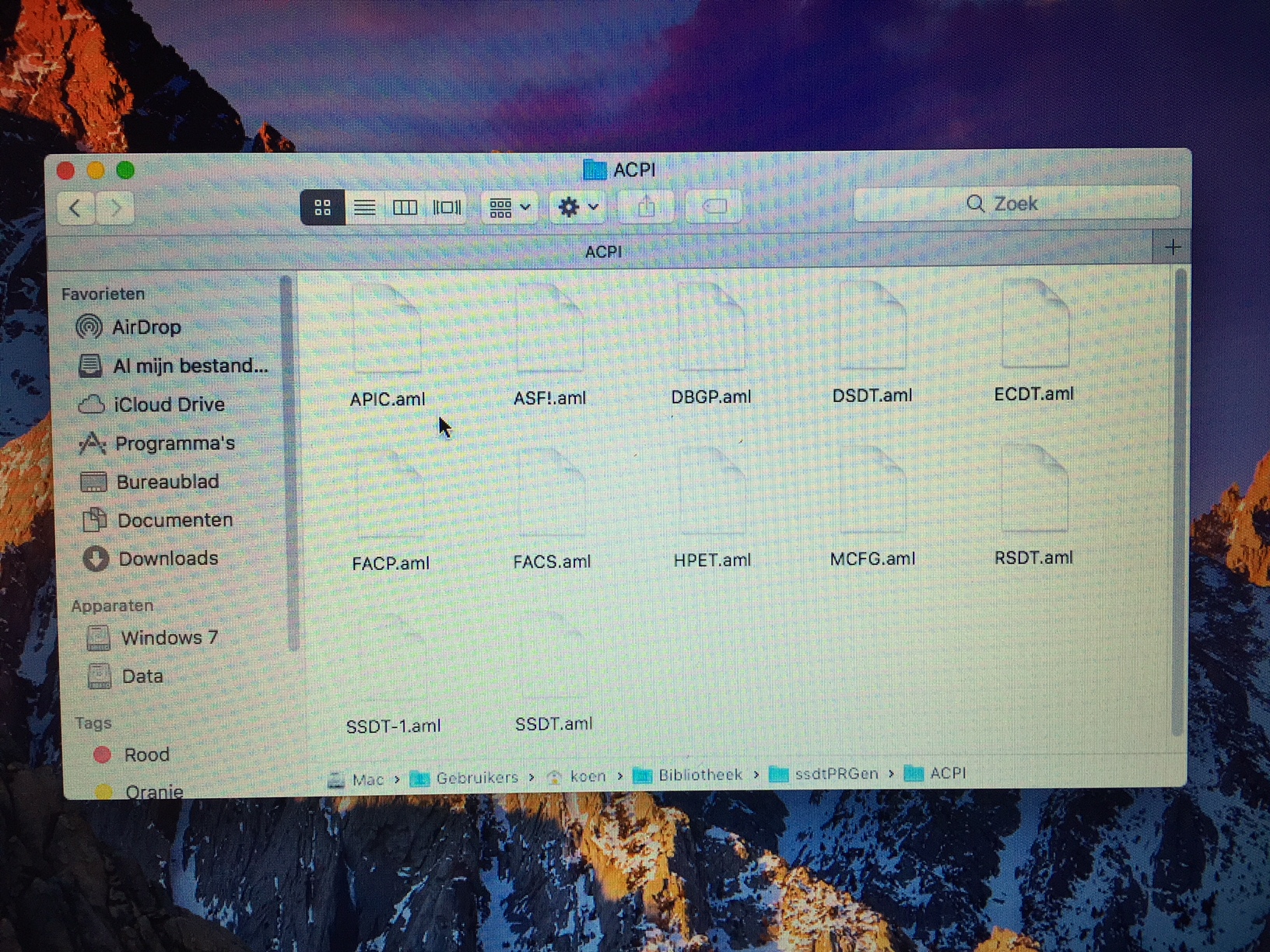
You mean installing this kext https://bitbucket.org/RehabMan/os-x-generic-usb3/downloads/? What do you mean? The guy from this thread (https://www.insanelymac.com/forum/topic/322566-asus-g73sw-macos-sierra-10124/) has USB3.0 and bluetooth working with his DSDT. And how to get the backlight and cardreader working? This morning I tried to generate a SSDT with ssdtPRGen.sh from Piker-Alpha. First I get this error: Changed the SMBios to Macbookpro8,2, reboot, black screen Changed the SMBios back to Macbookpro10,1, reboot and start the SSDT generator again. Typed y after the error and sees what happend 0 Errors, 0 warning, 0 remarks, 0 optimizations. Does that mean I can use the generated SSDT even with the board-id error? In the ssdtPRGen folder I see in the root a ssdt.aml file And in the ACPI folder I see another SSDT.aml file and a SSDT-1.aml file. Wich files do I have to copy to the EFI/ACPI/Patched folder??? Do I need to also add something to the config.plist to get te SSDT working?
-
The Audio works fine after set Audio inject to detect and installing Lilu + AppleAlc in combination with the first DSDT you send me. With the second DSDT you send me the Audio and Wifi aren't working. So what's working for now: - Nvidia Geforce GTX460M - Wifi - Audio - USB2.0 - Batterypercentage - AsusFNkeys And what's not working for now: - USB3.0 - Cardreader - Keyboard backlight - Brigthness FNkeys (only with nv_disabled=1) - Bluetooth - LAN (can't test, mine is broken. Guess it works with RealtekRTL8111.kext installed) Also extracted a new SEND_ME folder. config.plist.zip DSDT.zip Send me mbp-van-koen.home.zip
-
I remove it in my config.plist. Then I install Lilu + AppleAlc and try (after work) with inject ID 1,2 and 3 and look wich one works.
-
I'll try after work. Before testing do I need to install 'G73JH.kext(contains dummy HDA)' just like the guy in this thread (same audio but other type of laptop) (https://www.tonycrapx86.com/threads/guide-asus-rog-g73jh-using-clover-uefi.242770/) because I also have the patches in my config.plist. Or will the audio work with only the patched DSDT without the kext and patches in config.plist?
-
Thank you! Here is the new SEND_ME folder Send me mbp-van-koen.home.zip