artur-pt
-
Posts
4,990 -
Joined
-
Last visited
Everything posted by artur-pt
-
hello insert in boot wait=yes good hack
-
olá me parece que o video está bom.. mas não mostraste nada do system info.. de qualquer das maneiras deves ter de ver a parte do gerenciamento de energia ao cpu.. e tens de ler mais sobre o assunto.. http://Olarila.com/forum/viewtopic.php?f=2&t=1713 http://Olarila.com/forum/viewtopic.php?f=2&t=34 bom hack
-
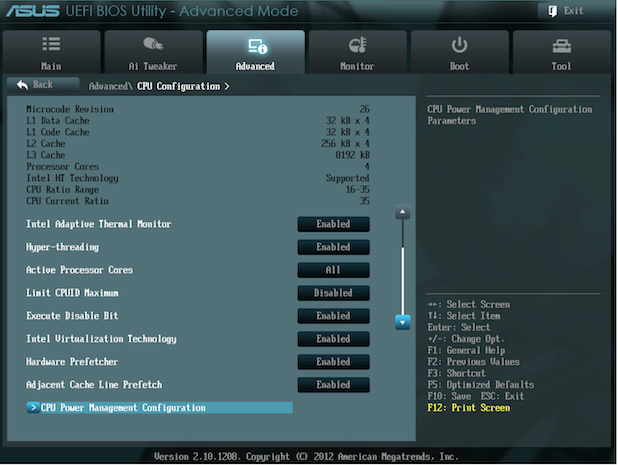
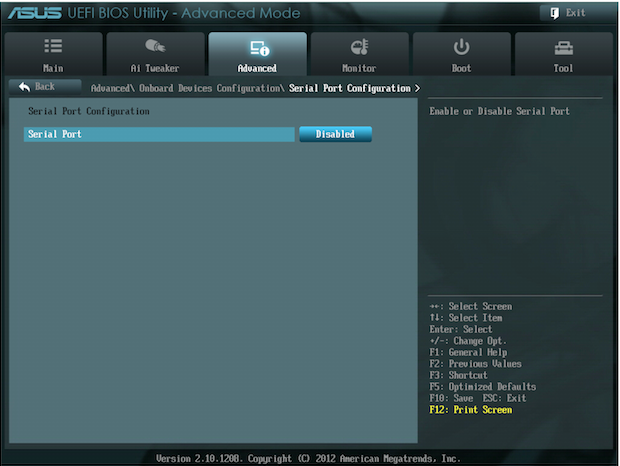
How to setup a UEFI bios to boot in legacy mode boot (Chameleon) It's best just to reset all of your UEFI settings to their factory defaults. Once your UEFI is running on its defaults, you will have to change the following settings: Boot Option Priorities - Change "Boot Option #1" to your USB drive. You need to do this for the pen to boot. Mac OS X cannot boot if you set the boot option to anything that starts with "UEFI". Instead, you must select the boot option that starts with "P0", "SATA", or "Legacy" (depending on your motherboard). xHCI Mode - Change this to "Auto". This setting is usually set to "Smart Auto", which doesn't work. xHCI Hand-off / EHCI Hand-off - Make sure both of these settings are enabled. Asus Setup How to setup a UEFI bios to boot in UEFI mode boot (Clover) 1 - "UEFI Hitachi" line allows to boot the HDD in UEFI mode, 2 - "P1: Hitachi" line allows to boot the HDD in Legacy (not-EFI) mode, 3 - "P3: DVD" line allows to boot from DVD drive in Legacy mode 4 - "UEFI: USB" line allows to boot the USB in UEFI mode. Here is a 2nd example of BIOS, simpler, where the "Boot Mode" parameter allows one to choose the boot mode ("UEFI" or "Legacy") for all media (hard disk, CD, USB...) at the same time. SecureBoot "Secure Boot" is a new UEFI feature that appeared in 2012, with Windows8 preinstalled computers. So it's possible that you may encounter problems booting under Secure Boot. Disabling SecureBoot in the BIOS Here is an example of BIOS showing that "Secure Boot" is enabled:

-
olá isso é uma solução para a gráfica.. não sei o k mais fizeste ? fica lento como ? os gráficos ? o k ? bom hack
-

OS X Mavericks 10.9.5 bootable USB for Intel
artur-pt replied to iHackintosh_PT's topic in Mavericks (10.9)
hello have u read the guide to hd 4000 i think u don't the nvidia don't work at all .. that u show is only cosmetic optimus don't work in mac os x and u should try all mobiles ig-platform-id like u see in system info .. no kext loaded.. http://Olarila.com/forum/viewtopic.php?f=28&t=3111 good hack -
olá se leres o post está lá o k deves fazer com ele.. de qualquer das maneiras na minha assinatura em my os x files está lá meu forced edid bom hack
-
olá n vejo qualquer problema a não ser atrasares o boot.. pois dessa maneira todas as vezes k fizeres boot as kext serão lidas da pasta e injetadas na cache antes de fazer boot.. é uma opção k terás de decidir e de testar bom hack
-
olá as kext de qualquer instalação são as estritamente necessárias para chegar no instalador.. e fazer a instalação.. por exemplo n vejo qualquer utilidade de teres som no instalador.. e + ainda te podem trazer problemas.. bom hack
-
olá 10.8.5 as kext da ati bom hack
-
olá depende da versão de mac os x que estás a usar.. mas as kext necessárias para a gráfica estão em system/library/extensions podem é estar com diferentes nomes .. consoante a versão de mac os x em uso bom hack
-
@neboske hello try this one DSDT.aml.zip read and apply http://Olarila.com/forum/viewtopic.php?f=28&t=1716 http://Olarila.com/forum/viewtopic.php?f=28&t=1703 anyway i have a similar config .. and the sleep works .. and it wake .. always with dark screen.. never solve that good hack
-
hello the ati don't work.. so u must use the intel hd 3000.. is in u cpu.. follow the guide good hack
-
This version of Mac OsX is not supported on this platform
artur-pt replied to mysybet's topic in Mavericks (10.9)
hello in clover GUI press O (options) and see smbios section there change it for imac9,1 or macpro3,1 good hack -
olá depois da instalação .. passo seguinte é pos instalação http://Olarila.com/forum/viewtopic.php?f=2&t=1713 bom hack
-
hello have u delet the kext from installer to boot ? maybe that is the problem go in original image.. and grab the kext from system/library/extensions then install that kext in the hd good hack
-
OS X Mavericks 10.9.5 bootable USB for Intel
artur-pt replied to iHackintosh_PT's topic in Mavericks (10.9)
hello post photo from boot good hack -
hello are u sure u ig-platform-id is 2 ? have u try the diferents numbers for that.. i think is not 2 good hack
-
olá aplica os fix para usb no clover http://clover-wiki.zetam.org/Configuration/Devices#USB bom hack
-
hello what u want ? i don't understand u post... if u have intel hd 4000 .. what is u ig-platform-id ? where u get the edited dsdt ? look here http://Olarila.com/forum/viewtopic.php?f=28&t=3111 good hack
-
olá instalaste nullcpupowermanagement ? http://Olarila.com/forum/viewtopic.php?f=2&t=1713 e teu smbios também está mal bom hack
-
Mac OS X 10.8.5 Mountain Lion bootable USB for Intel PCs
artur-pt replied to pernacabeluda's topic in Mountain Lion (10.8)
hello some of that flags are to use with chameleon loader.. don't work with clover.. u must read about what u are trying to do.. if u hit 1 in start boot.. u go to chameleon.. if u delete the graphics kext.. if u use clover must boot withoutcaches space bar or O (option menu) give u some options to config the boot loader good hack -
hello with that kind of post u have donne .. only guessing u only post it don't work.. don't boot post photos and detailled info about the problems. i already edit a dsdt for u ?... http://Olarila.com/forum/viewtopic.php?p=35430#p35430 no answer at all.. good hack
-
olá os procedimentos são os mesmos... o método é k pode ser diferente, principalmente os nomes das "key" mas a ideia de como obter .. é a mesma.. o k procuras é obter o correto gerenciamento de energia ao cpu.. e tudo isso passa por testar. bom hack
-
hello man no ideas.. u now can test that .. remove the device from dsdt ? u should google for that particular note .. any fix.. good hack
-
@Dogez i apply another fix to PWRB (is related with power button) u can test it DSDT.aml.zip good hack