Johnnyhobbs
-
Posts
25 -
Joined
-
Last visited
Everything posted by Johnnyhobbs
-
Hello, I just got my Hack upgraded to Catalina and would like a DSDT to make it as complete as possible. Can you help? Thank you! https://drive.google.com/file/d/1MCLysBE9x4f8ANrvTwitPMsNtJmwGXuc/view?usp=sharing
-
Got it. All right man, thank you! Enjoy that beer! I’ll be taking some shots in celebration.
-
Okay was just making sure i didn't need to undo the diablehibernate command. Thunderbolt shows up good now! The SATA device tree still shows 10 Series Intel Chipset instead of 30 though
-
Is there another terminal command to undo the one you sent me a few responses ago? Send me Johns-iMac.zip
-
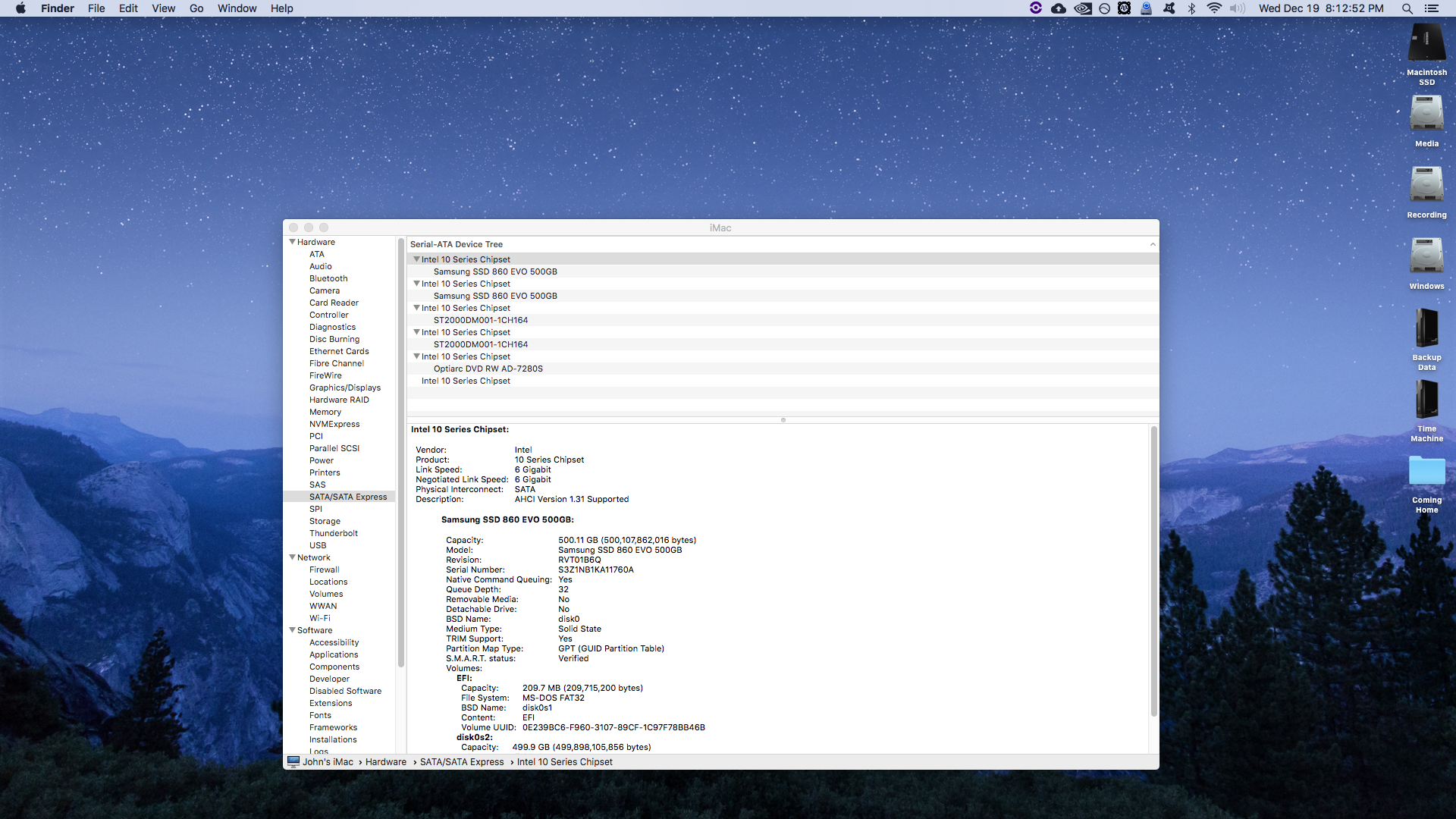
That's what it was! DSDT with FW = No sleep. DSDT w/o FW = Sleep! Thank you so much. Just couple cosmetic things though. I have a Z370 motherboard, so can the SATA devices pages show 30 Series instead of 10 Series? And is there a way to change the way the Thunderbolt device is being reported?

-
I think I found something,I went back and tried the DSDT that did not have the firewire device rename. System went to sleep fine. Maybe the thunderbolt card isn't the issue and the firewire is. Can you make another DSDT with everything patched including Thunderbolt, but nothing changed on the firewire?
-
The hot plug patch would be useful, but definitely want to solve sleep first. Here's my clover folder. I also tested again and the system sleeps fine when there's no DSDT
-
I found a tonycrap thread where someone was able to successfully patch in a thunderbolt card. It is a different model card but maybe something in the patch is helpful? https://www.tonycrapx86.com/threads/success-gc-alpine-ridge-thunderbolt-3-aic-rev-2-0-high-sierra.246228/page-2#post-1716416
-
We're going to need a few more shots. Still won't sleep
-
This? Terminal Saved Output.zip
-
No sleep :/
-
How do I remove the patch? Or I can attach the DSDT here
-
If the DSDT patch is only cosmetic, do you think there could be something else conflicting with sleep either in the DSDT or in config.plist?
-
Is there a way to make Thunderbolt work and be recognized in PCI devices without the patch?
-
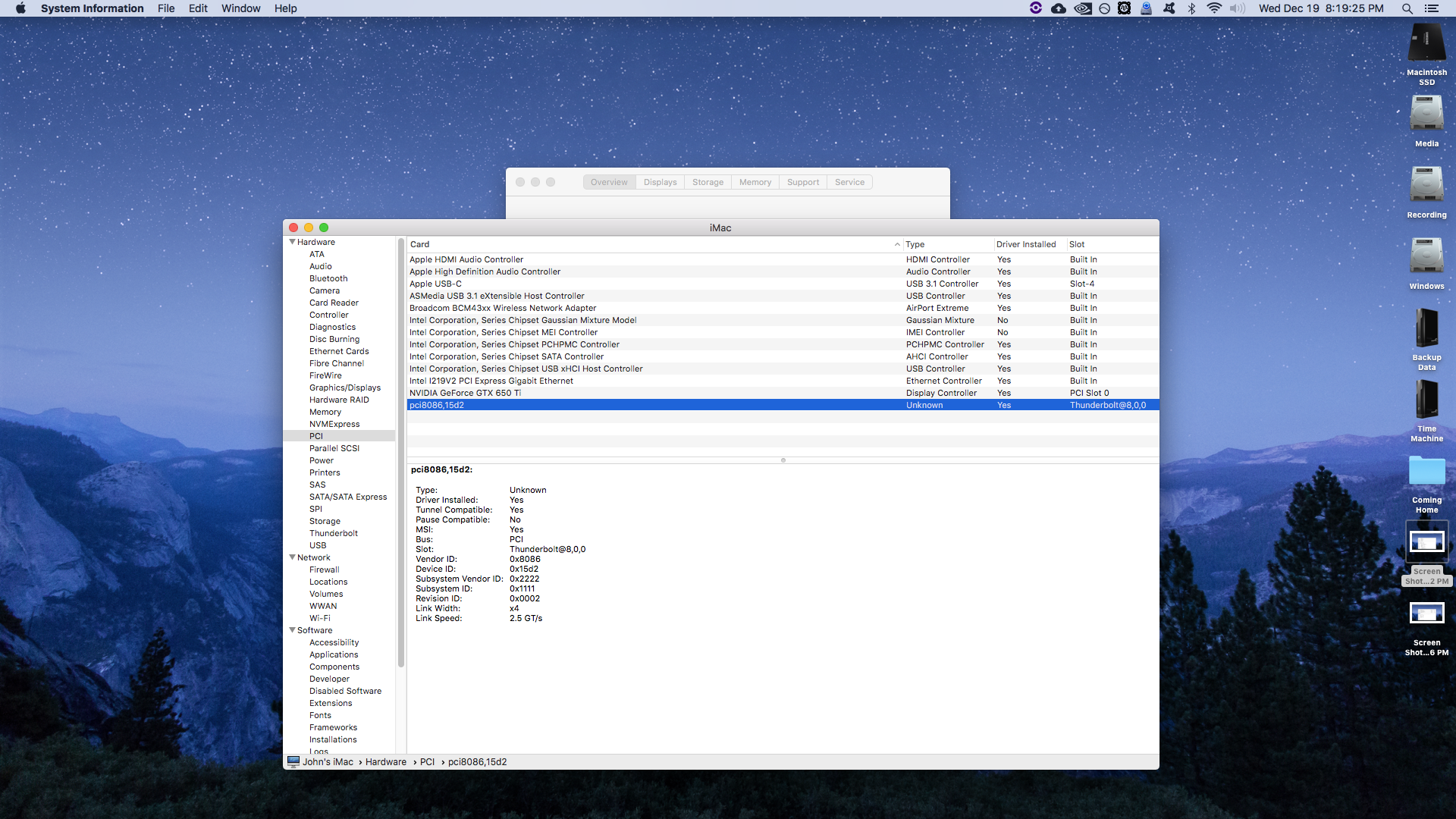
I just went ahead and replaced my clover folder with the 300 series folder provided here. From there I copied my smbios settings and my hide volume settings. Everything else in the plist is how it is provided here. Now, my hack boots up with the patched DSDT. Woo! However, now the system will not go to sleep. It sleeps fine without the patched DSDT. Do I need to make changes to the config plist to make it sleep again? Also with the patched DSDT, PCI devices looks like this. It looks like the thuderbolt card still isnt full recognized. But the USB 3.1 controller for it is. I did edit the patched DSDT slightly. It was listed as the GC Titan Ridge card, but the card I have is the GC Alpine Ridge v 2.0. So I replaced "Titan" with "Alpine"
-
Same thing, boots but no PCI devices
-
If I have that option with the patched DSDT in place, I get the same problem. Taking away the patched DSDT and having the Drop OEM DSM option allows the machine to boot, but there's nothing reported in PCI devices and the SATA controllers are reported as Generic.
-
It does not. Hackintosh will not boot past the apple loading screen with the DSDT in place. It loads for a long time and then changes to the crossed out circle. I booted in verbose with the DSDT in place and it got stuck here
-
I figured it out. I had incorrect thunderbolt settings in BIOS. Here is a fresh Send Me. Thank you for all the work. You have a beer coming from me Send me Johns-iMac.zip
-
Okay thanks for the heads up. How about the Thunderbolt card?
-
Okay I dumped the tables at the Clover boot screen again and made a new Send Me. The Card Reader is on HS11 and the Thunderbolt card looks like its on RP07, I just have nothing plugged into it at the moment. There are USB 3.1 ports on RP05 too. Is my config plist okay? Send me Johns-iMac.zip
-
Hi MaLd0n, thanks for the help so far! I downgraded back to High Sierra due to Pro Tools not being compatible with Mojave as well as Nvidia support dropping. I'm using the DSDT from before and the firewire issue is fixed, even though it doesn't show the firewire card in PCI devices anymore. Bluetooth, however, can't be turned off. I also have PCI Thunderbolt Add In Card installed. The GC Alpine Ridge card. Is there any way to make my USB Card Reader recognized in System Profiler as an Apple Built In Card Reader? Also, how does my Clover config look? Send me Johns-iMac.zip
-
Thank you! Send me iMac.zip
-
Thank you! However, my Saphire Pro 40 firewire audio interface doesn't work with the patched DSDT in place. In connects fine without the DSDT.
-
Just built a new hack and would love for it to be as close to a real mac as possible. One big issue is that not all the USB 3.0 ports are working. My USB 3.0 external hard drive is plugged in, but not recognized. Also getting some stuttering graphics with my GTX 650 Ti in Mojave .Thanks! Send me iMac.zip