gradux
-
Posts
13 -
Joined
-
Last visited
Everything posted by gradux
-
Thanks for the link and a very quick response. I love Olarila!!! Fast and great support.
-
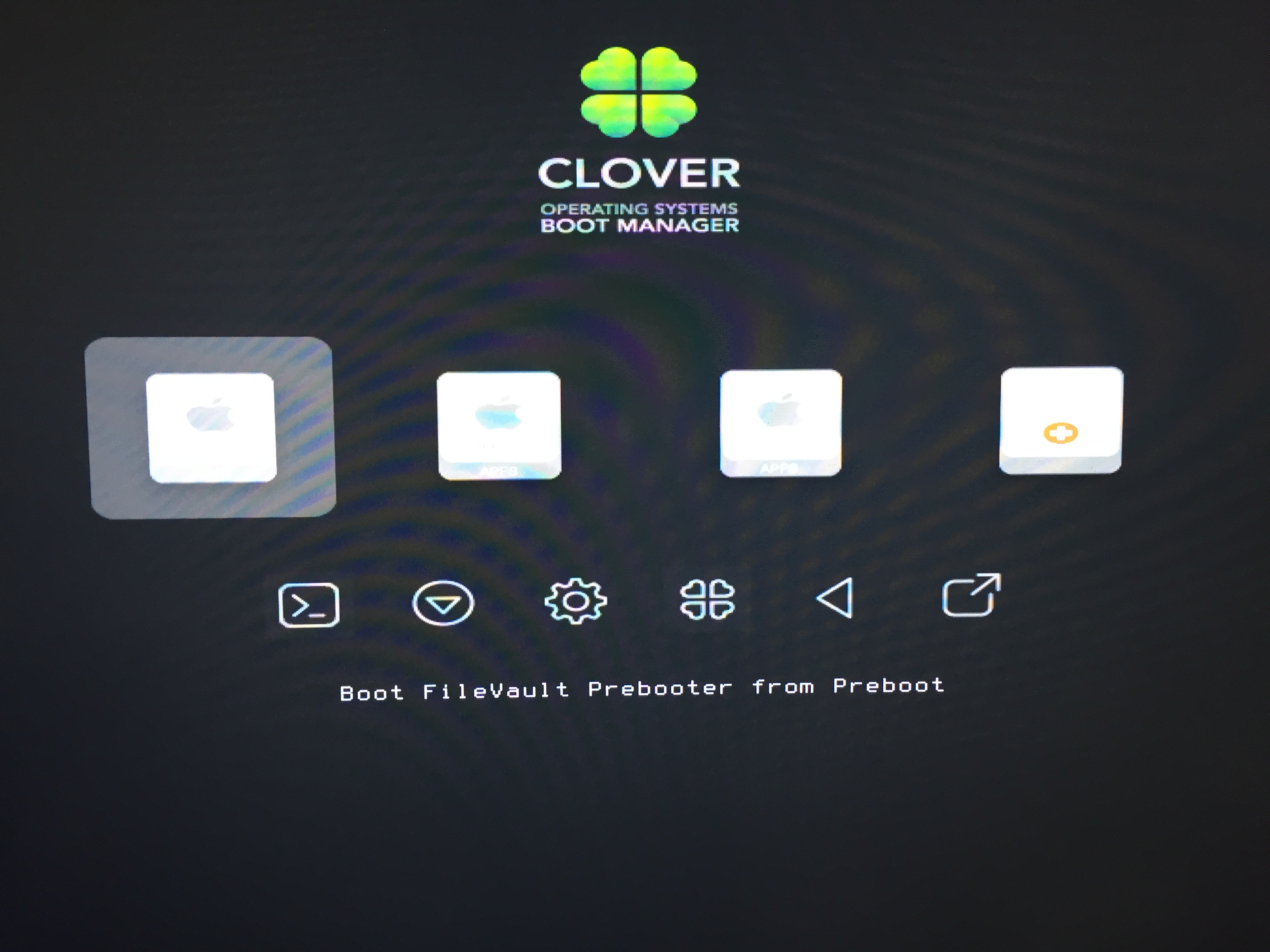
Great to know, yes it booted up fine! Thanks. Maybe unrelated question: I have these boot entries option screen (pls. see attached file). The first two icons may or may not needed but I always have to manually select the third icon to boot the OS. I'm just concern that I may accidentally press those selections. Is it safe to remove those boot entries? If yes, how? Thanks!

-
Thanks again MaLd0n. Will try it now.
-
Update: Working now. I got a couple of kernel panics on AppleIntelCPUmanagement. So I added kext NullCPUmanagement. Please advise. Attaching new runme.app file for the new installed Mojave. Please advise if I need to do anything else. P.S. And I just sent a small donation. Thanks so much for all the help, especially for a first time user here. I appreciate it. Send me Santis-Mac-Pro.zip
-
And, one more thing will it work as well if I replace Geforce GTX 760 with my new Sapphire Radeon Pulse RX 580 8GB? Thanks again!
-
Oops, I didn't notice you have uploaded a new file. Will try that. Thanks! Added in 30 minutes 4 seconds: So it booted up correctly now. So I guess, I will try it now with USB installer, and install Mojave and I'll update you on the result. Thanks!
-
Okay, will correct it and I'll get back to you. So I can use and put this CLOVER for Mojave USB Installer?
-
Since I had this experience before with frozen login screen but with disk activity. So, I was able to login using my Macbook Air via screen share and able to ran the app again but the mouse and keyboard have still no response. My Macbook Air is now my mouse and keyboard. Please see attached file. Send me Santis-Mac-Pro.T-mobile.com.zip
-
Okay, I'll get back to you as soon as I get it booted (hopefully, crossing fingers)!!! Added in 33 minutes 35 seconds: It booted up with no hiccups but it froze on the Login Screen - no mouse and no keyboard response. Though there is still LED disk activity as of this writing. So I haven't rebooted or tried it again. I was hoping the disk activity will stop. Any idea? Thanks!
-
Use last clover version? I'm currently using 4741. So I need to downgrade to the version before this? Thanks! Added in 4 minutes 37 seconds: Is this CLOVER folder for USB Mojave Install or you just want me to put this and replace my current CLOVER folder on my current Sierra running system?
-
Okay, I just downloaded. Will check and try it and will get back to you. Thanks!
-
I know it's not mandatory but someone else's time who is helping the Hackintosh community is I think deserves some sort of gratitude. I just don't know how sending the files works. I don't know where to look for the files after I ran the app. It just opened a browser to Paypal. So I thought it will send the files automatically after the donation. Added in 4 minutes 56 seconds: Okay, I saw it now. Please see attached file. Send me Santis-Mac-Pro.T-mobile.com.zip
-
Hi Maldon, I need help with GA X79 UP4 for Mojave install. I did run the Runme.app it opened up a browser with Paypal link to donate. I'd like to know first if I made the donation from the link to Paypal, will it automatically send you the file it created? Just want to make sure since this is my first time here and not that familiar how it works to help with DSDT for my configuration. Looking forward to your respond. Thanks!